


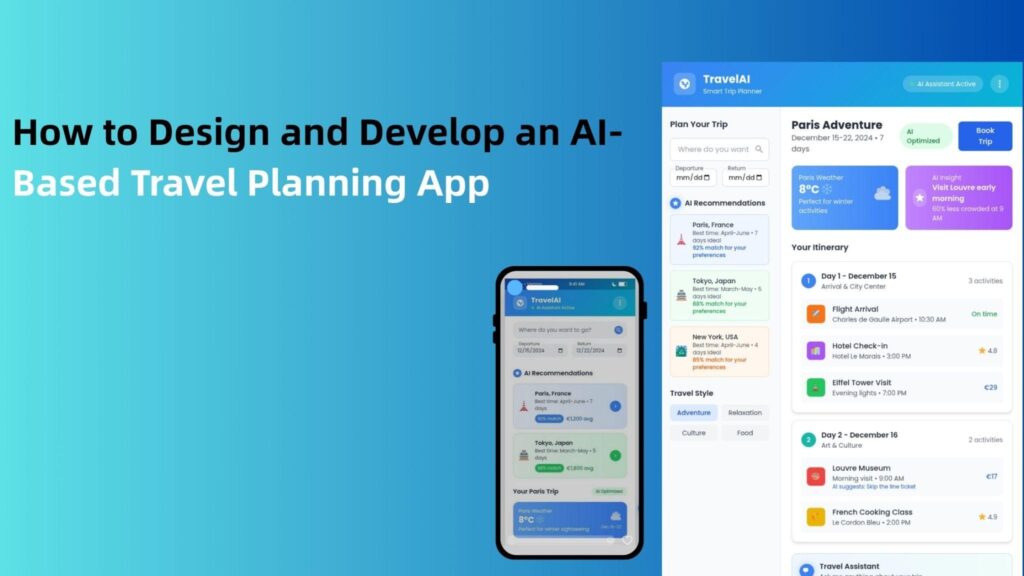
Have you ever imagined planning a trip to Thailand under 1LKH, and they just provide you with all the details of its itineraries of flight bookings, hotel stays, food, tourist places, and everything. Imagine an app doing all this, or an AI doing all of this on your command. Yes, it is possible.
As we’re evolving with each passing day, it has reduced human workloads. AI tools offer a wide range of capabilities like automating tasks, enhanced decision making, and providing personalized experiences. Let’s know how to build an AI-based travel mobile app that supports humans in listing all the itineraries.
What is an AI Trip Planner App?
An AI trip planner can automate the tasks on your recommendation, such as route optimization, restaurant suggestions, real-time updates, cost optimization, and more.
Here’s how it works;
- You provide them with details like destinations, travel dates, budget, and tourist places.
- The AI then provides all the information related to your recommendation (route optimization, cost, hotel stays, local trends, best time to travel).
- In a few seconds, it gives you an outline map for your trip.
Top Features of a Smart AI Travel Planner App
Smart AI travel planner app includes personalized recommendations, real-time data insights, driven itinerary integration, and more. Let’s explore what are the top features of a smart AI travel planner app include. For more consultation about how AI developers work to build a smart app, hire AI developer.
1. Personalized recommendations
The best part of the app feature that users love is personalized recommendations means the app analyzes users’ history of trips and recommends all the listings according to that data, like hotel stays, activities, and more.
2. AI-driven itinerary generation
This feature involves providing all the listings related to the user’s recommendation, like budget, tourist places, time allocation for each stop, and more.
3. Real-time data insights
As individuals can’t know the live and perfect data about the place they are going to visit, AI apps help users to provide live data insights like flight delays, weather updates, and so on.
4. Seamless booking integration
Users want everything in one app, so you could integrate APIs that include planning a trip to booking flights or trains, and hotel stays.
5. Collaborative planning or without internet access
A trip comes with vast challenges, one of them is internet working in hilly areas, so you should integrate a feature that supports offline mode, like offline map and collaborative planning means if you’re going with your peer groups, you can easily share trip status with your members.
6. Dynamic price alerts
You can add a feature of push notifications or alerts, which help users to know about the price drops or special offers to save money.
7. Document storage
Storing your IDs in one place can save users time searching in their phone or carrying the IDs, which can be mistakenly misplaced.
8. AI-powered virtual assistant
This AI-powered tool integration will help users to communicate when they are facing any problem in using the app feature or have some sort of query regarding the trip outline map, which assists them 24*7.
Step-by-Step Guide to Building an AI Trip Planner App
To create an AI trip planner, we have to go through a structured process;
1. Identifying the purpose
First, you should be well aware of market demand, what features they need, what their planning structure is, and what frequent questions they ask; according to this, you can create an outline map first. Also, look into some existing apps, what their features are, and how innovatively you can fill the market gap by adding new features and functions to the app.
2. UI/UX design strategy
Users get impressed by the design and appearance of an app, so make sure your app design is intuitive and user-friendly interface.
3. AI model training and API integration
Train customs AI models using machine learning and natural language processing to generate dynamic itineraries based on users’ input, or also integrate an AI model like ChatGPT, Gemini to provide fast suggestions and recommendations to users.
4. Backend and Frontend development
Frontend development ensures that it provides a user-friendly interface to users, includes UI/UX Design, client-side logic, and API integration. Whereas, backend development ensures that the server side of the application handles the underlying logic, data management, and server operations, which gives features like booking.
5. API Integration
AI trip planner apps work on real-time data insights, which include booking, current report of weather conditions, and Google Maps for routing and directions.
6. Testing and Deployment
Before deploying it on the App Store, the QA team must check that the apps are working properly, identifying bugs and errors, which will enhance the smooth flow of app operation.
7. Maintenance and Support
After the deployment, ensure to keep a check on the application for both user devices (iOS and Android devices), and keep taking feedback from app users to improve the application with modern features or tools.
Tech Stack Required for AI Travel App Development
To compete with the existing apps in the market, you need a great team of support and tools for development. So here’s some detailed information on who you should involve in creating an app from ground zero.
1. Frontend Development
In the initial stage, frontend developers focus on design, which uses tools like React native and Flutter. Both of these tools are great for building mobile apps across platforms.
2. Backend Development
This is where app logic resides, user data, trip calculations, bookings, and more. Use Node.js with real-time and APIs integration, also, if your app contains heavy AI models, Python is the best platform to use.
3. AI tools
AI works as an assistant for applications that modernize the basic app, like GPT APIs provide conversational and itinerary suggestions.
4. Third-party integration
No apps work without real-time data insights; integration APIs like Google Maps and Amadeus API provide real-world functionality to your app.